

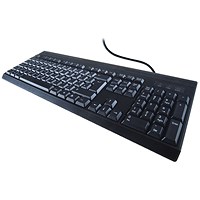


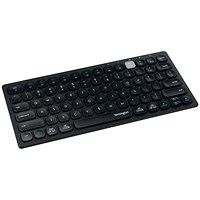
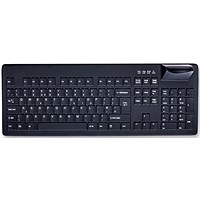

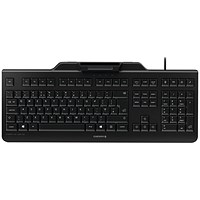


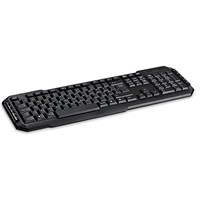


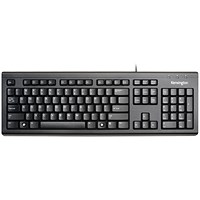


Computer keyboards at Paperstone
A computer keyboard is an input device employing an arrangement of keys to enter text and certain computer actions and commands. The keys – acting as switches – generally correspond to written symbols, with some symbols produced by a combination or sequence of key depressions. After punch cards and paper tape became virtually defunct ways of interacting with a computers, teletype-style keyboards became the most common input device for computers and from the 1980s most computers came equipped with keyboards. In modern computers, key depressions are generally interpreted by software such as a word processor program. Most keyboards in countries which have a Latin alphabet have a QWERTY layout with the addition of cursor keys, special function keys, a numeric keypad and others. Despite the popularity of other input devices like mice, keyboards remain the most common input device.
Buying a computer keyboard
- The best keyboard to buy is one that you've tried and tested and are happy with, either one that you've owned or used before. In any case, if possible try before you buy.
- Make sure the keyboard you intend to buy is compatible with your computer. Most of our keyboards connect through a USB port. We also sell wireless keyboards.
- Cost – our keyboards range in price from about six quid to just over £65.
- Function – look out for special and shortcut keys that will make your life easier.
- Ergonomics – choose a keyboard you will be comfortable with.
- Aesthetics – choose a keyboard you like the look of.
Keyboard history – from typewriters to computers
Before computer keyboards there were typewriters. No single person or culture is attributed with the invention of the typewriter – there are too many early precursors and patents for mechanical writing machines, one patent for what appears to be a machine similar to a typewriter as early as 1714. The first commercially manufactured and successful typewriters date from the 1870s. Electric typewriters appeared in the 1920s by which time pretty much all typewriters had reached some sort of standardisation. By 1958 8% of IBM's revenue came from electric typewriters. The final stage of typewriter evolution – the “electronic typewriter” – occurred in the 1980s. There were a few typewriter-computer hybrids before computers gained complete dominance by the end of the 1980s.
1874 typewriters from manufacturers Sholes & Glidden established the “QWERTY” keyboard layout for letter keys which would gain predominance, despite the fact that it is not the most efficient layout possible. No definitive explanation for the QWERTY keyboard has been found, and this is a hot issue among typewriter historians.
Typewriter and keyboard facts
- Major manufacturers of early typewriters, Remington, assumed their machines would be used for transcribing dictation and that the user would be a lady. The casings of early models were therefore decorated with printed flowers.
- Barbara Blackburn, the fastest typist in the Western Hemisphere as of 2005, onceclocked a speed of 212 wpm.
- Ernest Hemingway tapped at his keyboard standing up.
- Jack Kerouac typed the manuscript for On The Road on a single roll of paper so he didn't have to pause to insert new sheets.
- Artists to use (the sound of) typewriters in their music include Brian Eno, Tom Tom Club, Yann Tiersen and Dolly Parton.
- In the Soviet Union, the organization in charge of typewriters was the First Department of the KGB.