Paper shredding: what you need to know and why it matters
Let’s face it, with GDPR ever present, hybrid working, and piles of paperwork cluttering up desks – shredding documents isn’t just about keeping things tidy. It’s about protecting privacy. However, not all shredders are created equal, and knowing which type of shredder is right for you can be pretty confusing.
That’s why knowing the difference between a strip-cut, cross-cut, and micro-cut shredder is key. Smart habits for secure shredding are just as important as the machine you use.

What’s the difference? Strip-cut vs cross-cut vs micro-cut
According to Leitz, shredders differ mostly by how they cut paper – which affects how easy (or impossible!) it is to rebuild shredded documents.
Strip-cut shredding: The most basic, and probably most common option – paper is sliced into long vertical strips (imagine spaghetti). It’s usually the cheapest and often the fastest to shred.
Cross-cut shredding: the paper is cut diagonally by two sets of blades, slicing each sheet into hundreds of little rectangular pieces.
Micro-cut shredding: This is the best kind of shredding, and most secure. Micro-cut shredders cut the paper into tiny confetti sized pieces (if you have a see-through bin, it’s like watching a snow globe each time you shred!).
| Shredder Type | Pros | Cons |
| Strip-cut | Quick to shred. Cheaper option. Convenient for occasional use. | Very low security (P-1 / P-2 level). Strips could be put back together. Not suitable for sensitive data. |
| Cross-cut | More secure than strip-cut. Meets minimum GDPR compliance for most businesses (P-4 level). More difficult to put documents back together. Smaller pieces mean bin hold more. | Not the best option for very confidential documents like financial or legal files. |
| Micro-cut | Highest level of security (P-5 / P-6 level). Extremely difficult to put documents back together. Tiny, almost unreadable pieces. Great for highly sensitive data. Bins fill more slowly due to compact waste. | Shredding takes longer. The machine works harder due to finer cut. |
Tips for even more secure shredding
Secure shredding isn’t just about having a fancy micro-cut shredder – it’s also about how you use it, and how often. Here are some tips to keep you even more secure.
- Shred early, shred often – don’t let sensitive documents pile up. The moment you don’t need them in paper form, shred them. This reduces the risk of accidental exposure.
- Use the right cut type for the right document – routine admin papers might be fine for cross-cut. But anything with personal data, financial info, private contracts? Go micro-cut.
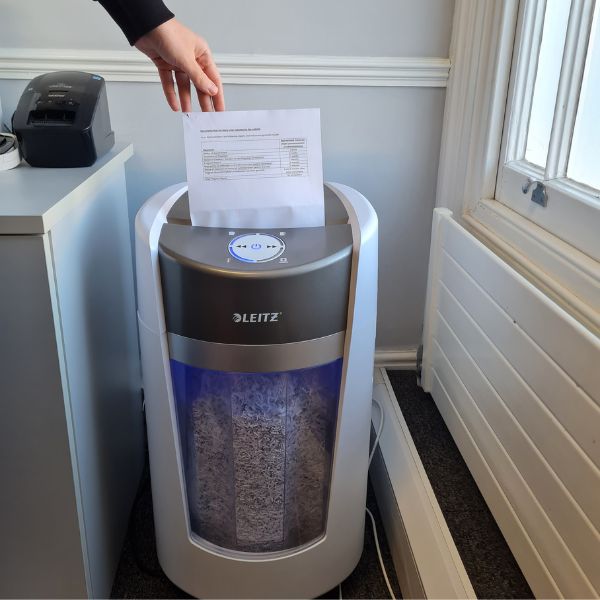
Our very own Leitz OptiMax shredder in action.
- Don’t forget bin management – empty shred bins regularly so waste doesn’t build up, overflow, or clog the shredder (which could result in a jam or degraded security).
- Check for secure storage before shredding – especially if you store sensitive documents (legal, HR, finance) even temporarily, make sure they’re locked away until shredded.
- Educate your team (or yourself!) – make sure anyone who handles documents understands when shredding is necessary, and what shredder to use. Consistency, as always, is key.
Shredder care 101
Like any hardworking member of the team, your shredder needs a little TLC. Here’s how to keep it happy:
Oil it – A few drops of shredder oil along the blades keeps things running smoothly and prevents jams. Do it after a few hours of use.
Don’t overfill – Empty the bin regularly to avoid jams, especially with micro-cut shredding.
Respect sheet limits – Overloading can overheat the motor or damage blades.
Keep it clean – Brush out paper scraps and dust from the feed slot.
Let it rest – Follow the manufacturer’s cool-down guidelines to prevent overheating.
Catching problems early saves a lot of frustration – and shredded documents don’t mean much if the shredder dies mid-task.
When to use what: Shredding “cheat sheet”
| Cut type | Typical security level (DIN / P-rating) | Approx. pieces per A4 Sheet | Best use case / Document sensitivity |
| Strip-cut (long vertical strips) | P-1 / P-2 | 36–75 strips | Non-sensitive paperwork: Just bills, junk mail, old receipts – tasks where security isn’t a priority. |
| Cross-cut (paper cut diagonally into small rectangles or confetti-like pieces | P-3 / P-4 | 200–400 particles | Everyday office documents: regular admin paperwork, internal memos, general correspondence; also acceptable for confidential business documents (e.g. basic contracts, invoices). |
| Micro-cut (paper shredded into tiny particles or “confetti dust” | P-5 (sometimes P-6/P-7 for higher security) | 2,000+ particles (or much more for higher P-levels) | Highly sensitive documents: financial records, personal data, client info, legal paperwork, contracts, HR files – when you want to make reconstruction virtually impossible. |
Shredding = stress-free security
Everyone has to play their part when it comes to shredding and data security. As boring as it can sometimes feel, everyone should take data protection seriously, whether you work from home or run a busy office. By choosing the right shredder, shredding promptly, and following good shredding habits, you turn a boring task into a smart security move.
Let Paperstone handle the shredding for you
We offer a simple, secure shredding collection service. Our shredding service is BS EN 15713 2009 compliant and totally secure to give you peace of mind.
You can sort it in 3 simple steps.
- Simply collect 15 or more sacks of shredding (up to 15kg each).
- Call us on 0345 567 4000.
- We’ll arrange collection for you.
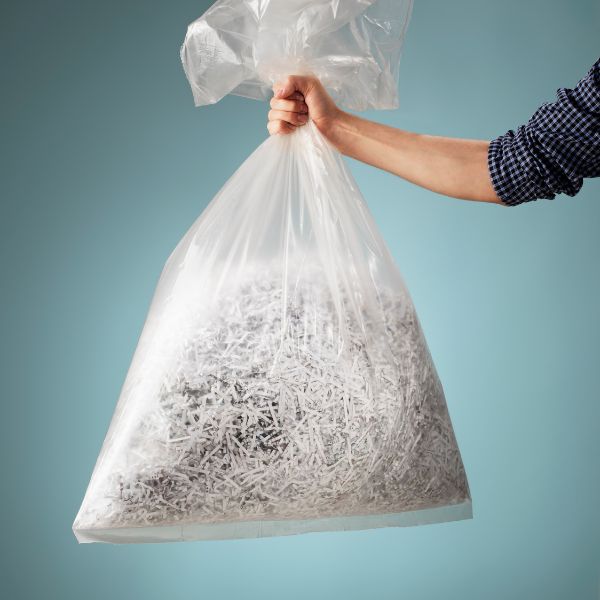
We also offer shredding storage bins which you can keep in your office and we can schedule regular collections for you. If you already have a shredding service and would like to move to Paperstone; or want to see how we can help you with any shredding requirements give our friendly team on 0345 567 4000.



Recent Comments