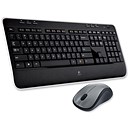



Kensington Combination Keypad Calculator USB Hub 2 Port Ref 72274EU Kensington Combination Keypad Calculator USB Hub 2 Port Ref 72274EU Now (EX VAT) £25.99 RRP £30.99 Save 16% Pack Size 1 Product Code 711541 Next working day Delivery
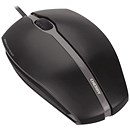
Compucessory USB Keypad Slim Rubber-coated with Nylon Pouch 122g Black Ref CCS34223 Compucessory USB Keypad Slim Rubber-coated with Nylon Pouch 122g Black Ref CCS34223 Now (EX VAT) £12.99 RRP £15.25 Save 15% Pack Size 1 Product Code 275961 Next working day Delivery
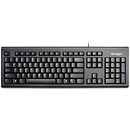
Kensington Calcpad USB Numeric Keypad and Independent Calculator with Retractable Cable 700mm Ref 19423 Kensington Calcpad USB Numeric Keypad and Independent Calculator with Retractable Cable 700mm Ref 19423 Now (EX VAT) £29.79 RRP £34.99 Save 15% Pack Size 1 Product Code 046580 Next working day Delivery
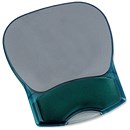
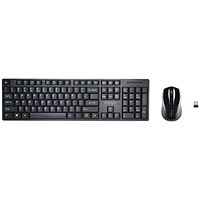
Kensington Wireless Keypad Calculator Set with Optical Mouse Ref 72273EU Kensington Wireless Keypad Calculator Set with Optical Mouse Ref 72273EU Now (EX VAT) £42.59 RRP £49.99 Save 15% Pack Size 1 Product Code 711533 Next working day Delivery
Kensington Calcpad Wireless USB Numeric Keypad and Independent Calculator AAA Rechargeable Ref 1500113 Kensington Calcpad Wireless USB Numeric Keypad and Independent Calculator AAA Rechargeable Ref 1500113 Now (EX VAT) £46.89 RRP £54.99 Save 15% Pack Size 1 Product Code 731058 2-3 working days Delivery

Keypads at Paperstone

Separate numeric keypads are keypads with a set of numeric keys for data entry and for when your current workload mostly consists of calculations. You can hold a keypad in the palm of your hand while you do your calculations, saving you awkward, tiresome and time-consuming navigation around a standard computer keyboard when all you want to do for the moment is input numbers. Keypads plug into your computer via a USB port or communicate with your computer wirelessly. Keypads are especially useful as a complement to laptops whose keyboard does not include an integrated numeric keypad of its own. Our no-nonsense, cheapest model of keypad simply comprises the numeric keys arranged in a square while more sophisticated models have display screens and can double up as calculators. The higher range keypads also have special calculator function keys that you wouldn't find on a standard computer keyboard.

Buying a numeric keypad from Paperstone

  • Click on one of the numeric keypads above to get a bit more info.
  • If it is the keypad for you, click the green-yellow “Add to Basket” button. (You may even want to buy more than one keypad in which case enter the quantity in the box provided before clicking the “Add to Basket” button). This has now been added to your “basket”.
  • If you are buying more products, continue to browse, repeating the above process.
  • When you've finished shopping, click the silver “Checkout” button in the “Basket Total” box, toppish-left of every page.
  • Then simply follow the instructions on the page. If you have shopped with us before, you can log in to save yourself some time filling in information. But if you haven't, click “New Customer”. You'll be asked for your email and a password. This is so it is easier if you shop with us again. Then you'll get asked for a delivery address, card details, and so on.

But if you are stuck, need a bit more info or advice, would rather order over the phone, or simply need some human reassurance, give us a call on 020 7462 7800. We will be happy to hear from you and will offer all the assistance we can.


You may also be looking for:

Calculators
Keyboards
Batteries
Accounts books
Cash registers
Product Search


Your Basket
Your Basket is Empty


Call us on 020 7462 7800


Comodo SSL Logo
